I’ve been tracking my steps, sleep, and heart rate for over a decade. From early, clunky Fitbits to premium Garmin and Apple Watch models, I’ve seen it all. So, when the Fitvii health tracker kept popping up with its incredibly low price point, I was curious. Could a $40 device truly deliver on its promises? After spending significant time with it in 2026, I have some strong opinions.
Setting Realistic Expectations for Budget Trackers
Let me be blunt: Don’t expect a $40 Fitvii to replace a Garmin Forerunner or an Apple Watch Ultra. That’s just not how technology works. When you pay a fraction of the price, you get a fraction of the performance. It’s a hard truth, but years of trying every new gadget have taught me this much.
Budget devices like the Fitvii exist in their own category, and they come with fundamental compromises. These aren’t minor issues; they impact the core functionality of a health tracker. Sensor quality, the depth of the software ecosystem, and even basic battery life often take a hit. I’ve seen countless people frustrated because they bought a cheap tracker expecting premium results. It just doesn’t happen.
Sensor Accuracy: Where Budget Trackers Fail
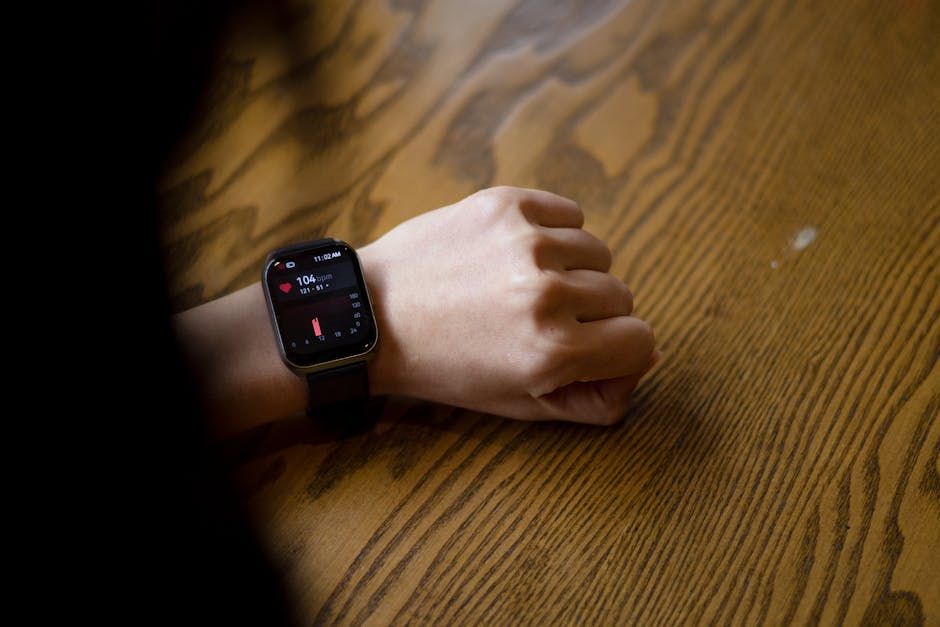
This is the biggest differentiator, in my experience. Most trackers use photoplethysmography (PPG) for heart rate, which relies on light shining through your skin. High-end devices have better LEDs, more sensitive photodiodes, and superior algorithms to filter out motion artifacts. A Fitvii, however, uses much simpler hardware. This means its heart rate readings during exercise can be wildly inaccurate. I’ve compared it side-by-side with a chest strap monitor (the gold standard) and found discrepancies of 20-30 BPM during intense activity. For general resting heart rate, it’s usually acceptable, but for training zones, it’s a gamble. Step counts, too, are often inflated. My Fitvii consistently registered 500-800 steps during a quiet hour of desk work, a common issue with basic accelerometers. A proper step count calibration usually reveals these inaccuracies quickly.
Software Ecosystem: Why It Matters More Than You Think
A tracker is only as good as its app. Garmin Connect and Apple Health are robust platforms, offering deep insights, community features, and integration with dozens of third-party apps like Strava, MyFitnessPal, or Google Fit. The Fitvii, like many budget options, relies on its own proprietary app. And honestly, it’s often clunky, suffers from frequent bugs, and offers very limited data analysis. You’ll get basic charts, but don’t expect detailed sleep stage breakdowns, recovery metrics, or personalized coaching. Data export is often non-existent or difficult. This means your health data lives in a silo, making it hard to integrate into a broader wellness strategy.
Fitvii’s Core Features: What You Actually Get
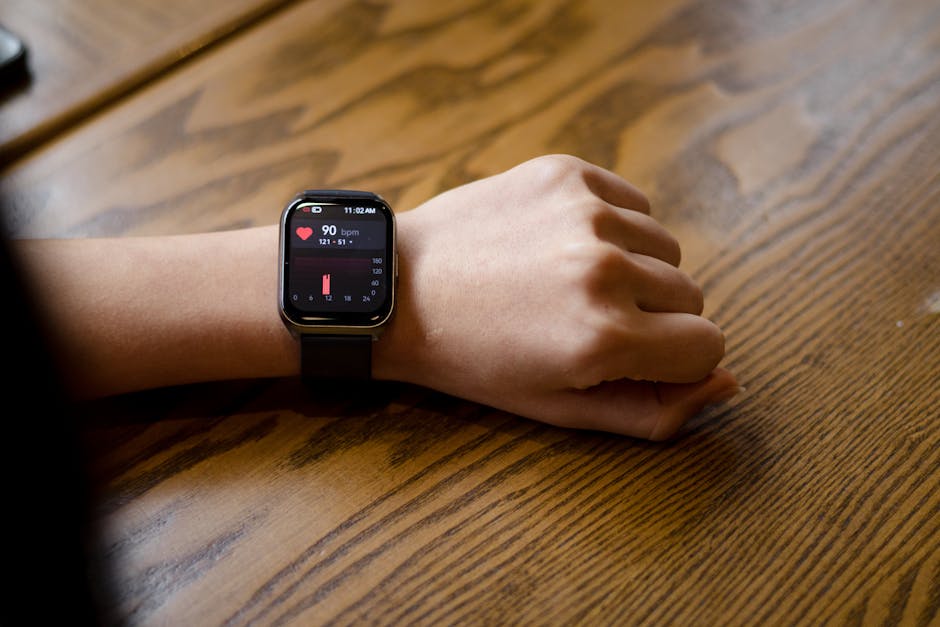
When you look past the marketing, the Fitvii offers a very basic set of features. It tells time, counts steps, and attempts to measure heart rate. These are the absolute fundamentals. The display is usually a simple LCD or low-resolution OLED, perfectly functional for glancing at notifications but nothing like the vibrant screens on a Samsung Galaxy Watch or an Apple Watch SE. Navigation is typically done via a single capacitive button or limited touch gestures, which can feel less intuitive than a full touchscreen or physical buttons.
For someone who just wants a rough idea of their activity without spending much, it covers the absolute basics. But anyone looking for actionable health insights or reliable fitness metrics will quickly find its limitations frustrating. It’s a device that provides data, but often lacks the accuracy or context to make that data truly useful.
Activity Tracking: Step Counts and Calorie Burn
The Fitvii tracks steps and estimates calorie burn. It does this, but the accuracy is questionable. Compared to my phone’s pedometer (which is often surprisingly good) or a Fitbit Charge 6, the Fitvii’s step count often overestimates by 10-15%. This isn’t just a minor annoyance; it can skew your perception of daily activity. If you’re aiming for 10,000 steps, and your tracker is giving you 1,000 “ghost steps” from arm movements, you’re not actually hitting your goal. Calorie burn is even more of a rough estimate, as it relies heavily on those same step and heart rate figures, which, as I mentioned, can be off.
Health Monitoring Claims: A Closer Look at BP and SpO2
Many budget trackers, including the Fitvii, advertise “blood pressure” and “blood oxygen” monitoring. Let me be unequivocally clear: these are not medical devices. They are not FDA-cleared or CE-marked for medical use. The readings should be considered indicative at best, and often highly unreliable. I’ve seen Fitvii trackers show wildly inconsistent blood pressure readings, sometimes within minutes of each other. For accurate blood pressure monitoring, you need a cuff-based monitor, like an Omron M7 Intelli IT. For SpO2, a dedicated fingertip pulse oximeter is far more accurate. Relying on a Fitvii for these critical health metrics could be dangerous, as it might give a false sense of security or unnecessary alarm.
Fitvii vs. The Established Budget Contenders
It’s tempting to grab the cheapest option, but for just a little more, you often get significantly better quality and reliability. Here’s how a typical Fitvii stacks up against some real contenders in the affordable market as of 2026:
| Feature | Fitvii (Typical $40 Model) | Xiaomi Mi Band 8 (2026) | Fitbit Inspire 3 (Older Model) |
|---|---|---|---|
| Price (approx.) | $40 | $50 | $70 |
| HR Accuracy | Basic, unreliable during activity | Good enough for general fitness | Very good, consistent |
| SpO2 Tracking | Present, highly questionable reliability | Reliable for fitness trends | Reliable for fitness, sleep tracking |
| Sleep Tracking | Basic awake/asleep phases | Detailed stages (REM, Light, Deep) | Excellent, includes Sleep Score, personalized insights |
| GPS | Connected (uses phone’s GPS) | Connected (uses phone’s GPS) | Connected (uses phone’s GPS) |
| Battery Life | 5-7 days (with limited features) | 14 days (typical use) | 10 days (typical use) |
| App Quality | Basic, often glitchy, poor UI | Functional, good data visualization | Robust, extensive ecosystem, premium subscription optional |
| Build Quality | Plastic, IP67 water resistance | Plastic, IP68 water resistance | Durable plastic, Swimproof (up to 50m) |
As you can see, for an extra $10-$30, you move into a completely different league of reliability and user experience. The Xiaomi Mi Band 8 offers far more consistent tracking and a better app experience. An older generation Fitbit Inspire 3, often found on sale, provides genuinely useful sleep tracking and a mature ecosystem. It’s not about brand loyalty; it’s about getting actual value for your money. These alternatives give you data you can actually trust and act upon, rather than just numbers on a screen.
My Verdict: Who Should (and Shouldn’t) Buy a Fitvii?
If you want a cheap watch that tells time and gives you *some* general idea of daily steps, and you have absolutely no intention of relying on it for accurate health insights, then the Fitvii is fine. But for actual reliable fitness tracking, credible health monitoring, or a satisfying user experience, don’t buy it. Save your money, even if it means waiting a bit longer, and invest in something more robust like a Xiaomi Mi Band 8 or an older model Fitbit Inspire. You will thank yourself later.
Optimizing Any Basic Tracker’s Data: Best Practices
Even with the most rudimentary tracker, you can still gain some value if you approach it strategically. It’s all about understanding the limitations and focusing on trends rather than absolute precision. I’ve learned this over many years, realizing that sometimes the biggest gains come from how you interpret the data, not just how accurately it’s collected.
- Calibrate Step Counts: Don’t just trust the number. Walk a known distance (e.g., 1000 steps counted manually, or a measured mile) and compare it to what your tracker says. Adjust your mental baseline.
- Contextualize HR Data: Use heart rate for trends. Is your resting heart rate trending up? Down? That’s more valuable than an exact single reading during a workout. For workout intensity, perceived exertion often correlates better with actual effort than a cheap tracker’s HR.
- Manual Logging: Supplement with manual input. If your tracker misses a workout or your sleep tracking seems off, log it yourself in a separate app or journal. This fills in the gaps.
- Focus on Trends: Daily step count fluctuations matter more than exact numbers. Are you more active this week than last? Is your sleep duration generally consistent? Look for patterns over days and weeks.
- Don’t Obsess: Use it as a motivator, not a definitive health monitor. If the numbers cause stress, step away from the data. Your overall well-being is more important than hitting arbitrary targets based on potentially inaccurate data.
Calibrating Your Step and Distance Tracking
A simple calibration method involves walking a known distance. For instance, find a track and walk exactly one mile, counting your steps manually. Then, compare that manual count to what your tracker registered. This gives you a personal error margin. If your tracker consistently undercounts by 10%, you know to add that percentage mentally when you look at its data. For step accuracy during daily activities, perform the ‘desk test’: wear your tracker while sitting and typing for 30 minutes. If it racks up hundreds of steps, you know its sensitivity is too high and any arm movements could be misinterpreted.
Interpreting Heart Rate for Fitness, Not Diagnosis
When using basic heart rate data, think in terms of zones and trends. Your resting heart rate (RHR) is best measured first thing in the morning, before you even get out of bed. A consistently elevated RHR can indicate stress or illness. During exercise, a cheap tracker might give you a general idea of your heart rate, but don’t rely on it for precise training zones (e.g., specific fat-burning or cardio zones). For that, you really need a chest strap or a more advanced optical sensor found in premium smartwatches. Instead, use the basic tracker’s data to observe if your heart rate generally increases with effort and how quickly it recovers post-exercise. This trend data is far more valuable than an unreliable absolute number.
Common Pitfalls with Inexpensive Wearables
I’ve seen these issues across countless budget trackers, not just the Fitvii. They’re inherent to the compromises made to hit a low price point. Understanding them helps manage expectations and avoid frustration.
Why does my step count jump when I’m just typing?
This is a classic. Most inexpensive trackers use a simple accelerometer to detect movement. They’re looking for a specific pattern of acceleration that typically signifies a step. However, repetitive arm movements, like typing, stirring a pot, or even gesturing enthusiastically, can mimic that pattern. More sophisticated trackers use multi-axis accelerometers and gyroscopes with advanced algorithms that can differentiate between a true step and other arm movements. Budget devices often lack this nuance, leading to inflated step counts that can be quite annoying.
Can I trust the "blood pressure" reading?
No, you absolutely cannot. I cannot stress this enough. These are not medical-grade devices. The technology used in wrist-worn trackers for blood pressure estimation is rudimentary at best and often based on pulse transit time, which is not a clinically validated method for accurate blood pressure measurement. If you need to monitor your blood pressure, invest in a proper, cuff-based arm monitor from a reputable brand like Omron or Withings. These are certified medical devices and provide accurate, reliable readings that your doctor would trust. Relying on a tracker for blood pressure is a dangerous gamble with your health.
Why is the battery life so inconsistent?
Battery life on budget trackers can be a rollercoaster. While advertised as 5-7 days, this is often under very specific, minimal use conditions. Factors like frequent heart rate monitoring (especially continuous mode), bright screen settings, numerous notifications, and even a lot of vibration alerts can dramatically reduce battery life. The batteries themselves are often smaller capacity and the components less power-efficient than in higher-end devices. If you find your tracker dying faster than expected, try reducing notifications, turning off continuous HR monitoring, or dimming the screen.
My data disappears or the app crashes often. What gives?
This points directly to software stability and development. Budget trackers often have minimal investment in ongoing app development and server infrastructure. This can lead to bugs, poor synchronization, data loss, and frequent app crashes. Unlike major brands that have dedicated teams for software updates and quality assurance, these cheaper options often get minimal post-launch support. Your data might be stored on less reliable servers, or the app itself might have memory management issues. It’s a common trade-off for the low price point.
My journey through fitness trackers has been long and varied, full of both innovative triumphs and frustrating disappointments. When I first saw the Fitvii health tracker, part of me hoped that technology had finally advanced enough to deliver something truly good at that price. But as I’ve learned repeatedly, you really do get what you pay for. For accurate, reliable health and fitness data, sometimes it’s better to save a bit longer for a device that truly delivers on its promises.