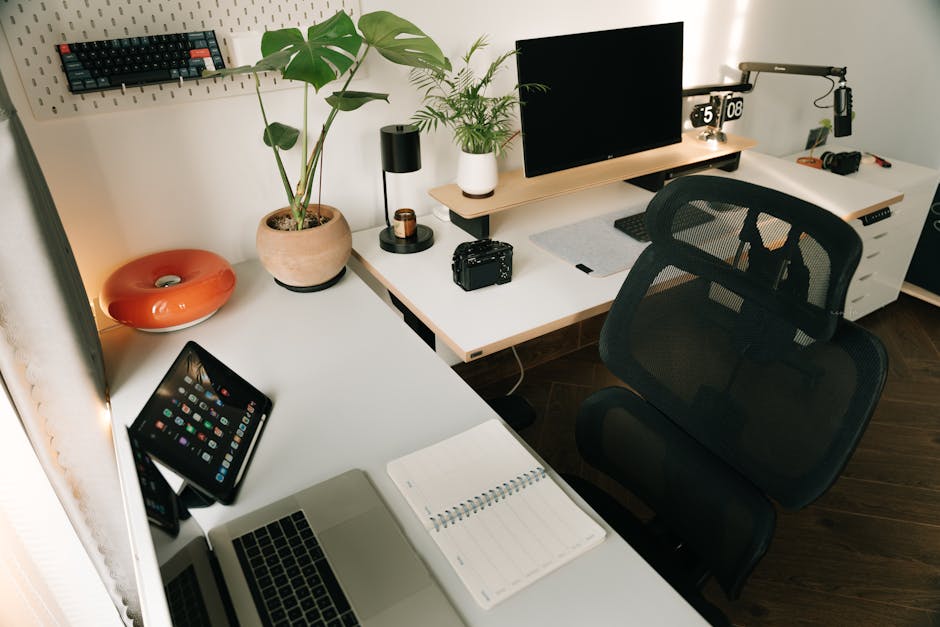
Desk Job Back Pain: Why Your Chair Is the Real Culprit
Eighty percent of adults will experience significant back pain at some point in their lives. For people who work at a desk, researchers put that number closer to 90%. Most blame their posture, their age, or not moving enough. The actual culprit, in a large share of cases, is a chair built with almost no real understanding of how the human spine handles sustained load.
Picture a Tuesday at 2 PM. Your coffee is cold. Your lower back is quietly burning. You stand, walk to the kitchen, feel better for 90 seconds, sit back down, and the whole cycle starts again. That pattern is not your posture. It is not your age. It is your chair failing you on a structural level.
How Prolonged Sitting Reshapes Your Spine
The spine has three natural curves — cervical (neck), thoracic (mid-back), and lumbar (lower back). These are not quirks of anatomy. They are load-distribution systems. When the curves are intact, body weight spreads across the bony structure of your vertebrae. When the curves collapse, that load shifts to the soft tissue between them: the intervertebral discs.
Sitting in a poorly designed chair flattens the lumbar curve almost immediately. Your pelvis tilts backward. The muscles running along your spine work overtime to compensate. After 30 minutes, they fatigue. After two hours, disc pressure in the lumbar region is measurably elevated — research published in Spine journal documented the pressure changes from sustained seated posture without lumbar support. After eight hours of this, day after day, the accumulated effect is why so many desk workers describe back pain as their new baseline.
The Lumbar Curve Problem
Your lumbar region — L1 through L5, the five vertebrae at the base of your spine — maintains a natural inward curve called lordosis. That curve shifts mechanical load to the vertebrae themselves rather than the discs. When a chair fails to support it, the spine rounds outward. Load transfers to the posterior portion of the discs — the part least designed to take sustained, asymmetric pressure.
Over weeks and months, this contributes to disc bulges, annular tears, and nerve impingement. The burning or aching that starts at your desk and follows you home has a clear mechanical explanation. It is not inevitable. It is a predictable result of an unsupported spine under sustained compression.
What Happens to Your Discs Over Time
After early adulthood, intervertebral discs have no direct blood supply. They absorb nutrients through movement — the compression and decompression cycles of walking, bending, and shifting position. Extended static sitting stops that cycle in the lumbar region entirely.
The result is what clinicians call discogenic pain — a dull, persistent ache originating from the disc itself, not the surrounding muscle. It typically worsens the longer you sit and briefly improves when you stand or walk. If that description matches your experience exactly, your discs are giving you a specific signal: they need movement and structural support, not just a 10-minute stretch at lunch.
The fix is not “sit less.” Most people working desk jobs simply cannot. The fix is a chair that actively maintains the lumbar curve so discs are not under asymmetric load for hours at a stretch.
Five Signs Your Chair Is the Problem

Back pain has many sources. These five patterns point specifically to the chair — not your workout habits, your mattress, or your age.
- Pain builds through the day. You wake up fine and hurt by mid-afternoon. Structural disc disease typically causes the worst pain in the morning, after lying still overnight. Chair-induced damage accumulates hour by hour.
- Standing brings almost immediate relief. Five minutes on your feet and the ache fades significantly. That is disc decompression and hip flexor release happening in real time. It confirms the seated position — not anything systemic — is the source.
- Thigh numbness or tingling before your back hurts. A seat that is too deep cuts off circulation behind the knees. Seat depth is commonly overlooked. Most chairs are sized for a reference person around 5’10”, which does not fit the majority of actual users.
- Knees higher than hips, or feet dangling. Both tilt the pelvis immediately and eliminate lumbar lordosis. Chair height matters as much as lumbar support, and often more.
- Pain radiates into one glute or down a leg. This is often sciatic nerve irritation, triggered or worsened by prolonged sitting in a chair that compresses the piriformis muscle.
Three or more of these? The chair is failing you structurally. The problem is the equipment, not your body.
Does More Stretching Actually Fix It?
Stretching helps at the margins. But spending 10 minutes on a yoga mat and then returning to the same chair that caused the damage is patching a leak in a sinking boat. The source needs to change, not just the symptoms.
Ergonomic Chair Specs That Actually Matter

“Ergonomic” has become a near-meaningless marketing label. It gets attached to $60 chairs with fixed foam lumbar bumps, non-adjustable armrests, and a recline that locks at 95°. Evaluating a chair means looking at specific numbers and mechanisms, not packaging language.
| Feature | Why It Matters | What to Look For |
|---|---|---|
| Lumbar support | Maintains lordotic curve, reduces disc pressure | Adjustable height and depth — never fixed |
| Seat height | Keeps thighs parallel to floor, pelvis neutral | 16–21 inch adjustment range minimum |
| Weight capacity | Structural integrity and long-term support quality | Rated well above your body weight |
| Armrest type | Prevents shoulder elevation and chronic neck tension | Height-adjustable at minimum; 4D preferred |
| Seat depth | Prevents thigh compression and circulation cutoff | 16–18.5 inches for most adults |
| Recline range | Allows postural variation, reduces sustained disc load | 90°–135° minimum; 155° ideal |
Weight capacity deserves special attention. It is not just a safety rating — it functions as a quality signal. A chair rated for 500 pounds uses stronger welds, denser foam, and more durable mechanisms throughout. A 200-pound user in a 500-pound-rated chair operates at 40% of structural capacity. The foam compresses correctly. The lumbar mechanism holds tension. The recline does not loosen within a year of daily use.
4D armrests — adjusting in height, width, depth, and pivot angle — are worth understanding specifically. Standard armrests go up and down. That is it. If you type for eight hours a day at even a slightly wrong forearm angle, you accumulate neck and shoulder tension that is indistinguishable from being stressed. 4D armrests let you eliminate that variable entirely, which is why they are now standard on serious ergonomic chairs above the budget tier.
The FelixKing 500lb Chair Gets the Part Most Brands Ignore
Most ergonomic office chairs are designed for a fictional average user: around 5’10”, 185 pounds, with no back history. Weight limits typically cap at 250–300 pounds. A person sitting at 270 pounds is already beyond the rated capacity of the majority of mid-range ergonomic chairs — meaning the foam is overcompressed, the lumbar support has lost tension, and the recline mechanism is operating outside its designed range.
The FelixKing Big and Tall Office Chair is rated for 500 pounds and priced at $179.98. At that price point it competes directly with the Sihoo M18, the Hbada E3, and the Flexispot OC14. None of those hit 500 pounds. None include a footrest. For a user at 220 pounds, operating at under half of structural capacity means every component — foam, lumbar, recline — performs as originally designed, for longer.
4D Lumbar Support vs. Fixed Lumbar
The FelixKing’s lumbar support adjusts in four directions: vertical position, forward pressure depth, and angle. Where lumbar support should sit varies considerably by height and torso length. Someone 5’4″ needs support placed several inches lower than someone 6’2″. Fixed lumbar support — the foam ridge baked into most chair backs — either lands in the right spot or it does not. For most people, it does not. That is why the lumbar pillow aftermarket is a real industry.
Adjustable 4D lumbar means you set it once, correctly, to your body. No cushion workarounds. No repositioning throughout the day.
The Footrest Changes Everything About Seat Height
Most desk chairs skip the footrest. The FelixKing includes one, and the benefit is more significant than it appears. Shorter users typically raise their seat to reach the correct desk height, which leaves feet dangling — immediately tilting the pelvis and flattening the lumbar curve. A footrest restores the thighs-parallel-to-floor position without forcing a lower seat height that takes you away from your keyboard.
The recline range extends to 155°, well past a working position and into genuinely restful territory. Spending 20 minutes reclined during calls or reading gives lumbar discs a break from sustained forward-load posture. That variation adds up across an eight-hour day. At a 4.4 out of 5 rating across 42 reviews, it holds up well for a mid-tier chair carrying this full spec set.
How to Set Up Your Chair Correctly

A well-built chair configured wrong still fails. These are the most common setup errors, and all of them are fixable in under five minutes.
How High Should the Seat Sit?
Sit down with feet flat on the floor or footrest. Thighs should be roughly parallel to the ground. Knees at or slightly below hip level. If your knees are higher than your hips, raise the seat. If your thighs slope sharply downward, lower it. The FelixKing adjusts from approximately 17 to 21 inches — enough range to accommodate most adult heights without compromise.
Where Does Lumbar Support Actually Go?
Place it at the small of your back, around L3–L5, roughly where your belt sits. It should feel like gentle inward pressure — your back held in position, not pushed forward. If it presses into your mid-back or rides down near your tailbone, adjust the height. Correct placement is a noticeable difference within the first 30 minutes.
What About Your Monitor Height?
A correctly configured chair still fails if the monitor is too low. Eyes should fall naturally at the top third of the screen without the head tilting downward. Tilting your head down just 15° effectively adds about 27 pounds of load to your cervical spine. If your monitor sits on the desk surface, a monitor arm or even a simple riser changes your neck pressure measurably. This is a $30 fix with a significant daily return.
When a Rocking Chair Outperforms a Desk Chair
Not every long-sitting scenario calls for a high-back ergonomic desk chair.
For nursing, post-partum recovery, extended reading, or anyone who needs a softer and lower seating position, an upright office chair is the wrong tool entirely. The rocking motion of a glider chair is functional, not decorative. Gentle rhythmic movement keeps circulation going, passively engages core muscles, and reduces hip flexor stiffness during extended stationary periods. It also soothes infants, which matters if you are spending two hours a night in that chair.
The FelixKing Rocking Chair Nursery Glider at $119.99 sits low by design, making it easier to get in and out with a baby in your arms. The upholstered foam cushion and built-in footrest keep you comfortable through a full feeding session. The side pocket handles the practical reality of needing a phone, water bottle, or nursing pad within reach without standing up.
For comparison: the Storkcraft Portofino Glider runs $180–$200. The Delta Children Blair Nursery Glider sits in the $130–150 range. At $119.99 with a footrest included and 71 reviews behind it, the FelixKing is genuinely competitive — not a budget compromise on comfort.
For desk work, it is the wrong chair entirely. For a nursery, a living room, recovery from surgery, or anyone with hip or knee issues who needs lower and softer — it covers ground a desk chair simply cannot.
The clear recommendation: if desk-related back pain is the problem, the FelixKing Big and Tall Chair at $179.98 is the most complete solution in its price range. The 500-pound structural rating means it is overbuilt for most users — and that overbuilding translates directly into sustained support quality over time. The 4D lumbar adjusts to your actual body instead of hoping you fit an average. The included footrest makes correct seat positioning achievable at any height. Fix the chair. Everything else is a workaround.